Brooklyn WordPress Theme Review: Is It the Right Choice for Your Website in 2025?

So, you’re thinking about building a new website or maybe revamping an old one in 2025? Choosing the right WordPress theme can feel like a big decision, and there are so many options out there. Today, we’re going to take a close look at the Brooklyn WordPress Theme. We’ll break down what it is, what it can do, and figure out if it’s the perfect fit for what you need. Let’s see if Brooklyn is the theme that will make your online presence shine.
Table of Contents
Key Takeaways
- The Brooklyn WordPress Theme is a flexible option for creating visually appealing websites without needing to code.
- It includes a drag-and-drop page builder, making it easy to design layouts.
- Users can choose from a variety of pre-built demos and templates to get started quickly.
- The theme offers good customization options for colors, fonts, and layouts to match your brand.
- Brooklyn is designed to work well on different devices, ensuring a good experience for all visitors.
What is the Brooklyn WordPress Theme?
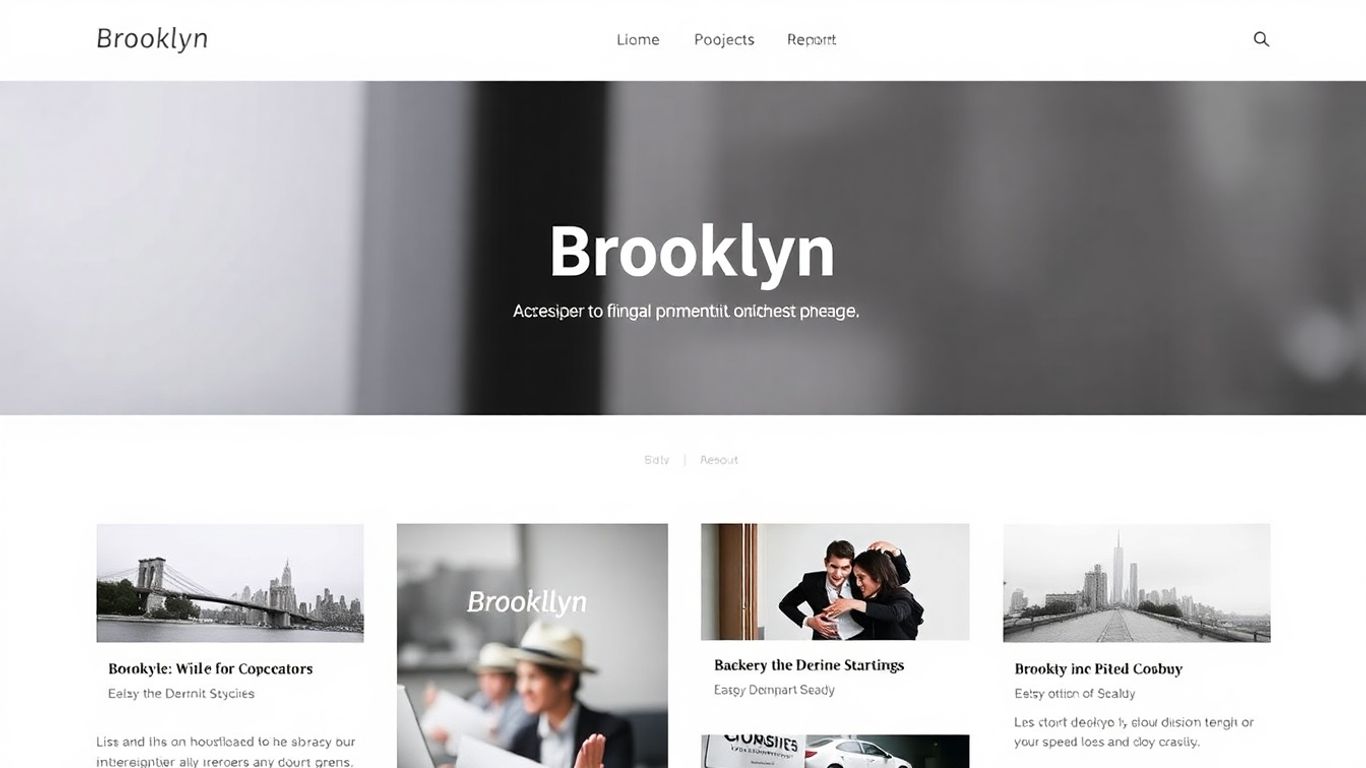
So, what exactly is the Brooklyn WordPress theme? Think of it as a pre-packaged set of tools and designs specifically made for WordPress websites. It’s not just a pretty face; it’s built to help you create a professional-looking site without needing to be a coding wizard. Many people use it because it comes with a bunch of ready-made designs, called demos, that you can tweak to fit your own style.
This theme is pretty flexible. It works well with drag-and-drop page builders, which means you can visually arrange your content like you’re playing with building blocks. This makes it way easier to get things looking just right.
Brooklyn is designed to be adaptable, aiming to serve a wide range of users, from those just starting out to more experienced web designers. Its focus is on making the website creation process more straightforward.
It’s also built to look good on any device, whether that’s a big desktop monitor or a small phone screen. This responsive design is a big deal these days because people browse the web on all sorts of gadgets. Plus, it’s got features that help with search engines, so hopefully, more people can find your site when they search online. It’s been around for a while and gets updated, which is good for keeping things secure and working smoothly.
Try Brooklyn NowKey Features of the Brooklyn Theme
So, what makes the Brooklyn theme stand out? It’s packed with features that aim to make building and managing your website a lot easier, whether you’re a beginner or have been doing this for years. The theme really focuses on giving you control without making things overly complicated.
Drag-and-Drop Page Builder Integration
This is a big one. Brooklyn works really well with drag-and-drop page builders. This means you can visually build your pages, moving elements around like you’re playing with building blocks. No need to mess with code if you don’t want to. It makes designing layouts pretty straightforward.
Pre-built Demos and Templates
If starting from scratch feels daunting, Brooklyn has you covered. It comes with a bunch of pre-built demos and templates. Think of them as starting points. You can pick one that looks close to what you want and then tweak it to fit your brand. It saves a ton of time and effort, especially when you’re trying to get a site up quickly. There are templates for all sorts of businesses, which is pretty handy.
Customization Options
Beyond the templates, Brooklyn offers a good amount of customization. You can change colors, fonts, layouts, and other visual aspects to make the site truly yours. It’s not just about picking a template and leaving it; you can really fine-tune the look and feel. This level of control helps your website stand out from the crowd.
Responsive Design
In today’s world, your website needs to look good on phones, tablets, and desktops. Brooklyn is built with responsive design in mind. This means your site will automatically adjust to fit whatever screen size someone is using. It’s not something you usually have to worry about with this theme, which is a relief. A good user experience across all devices is pretty important for keeping visitors engaged.
The theme’s focus on user-friendliness means you don’t need to be a coding wizard to create a professional-looking website. It balances powerful features with an accessible interface, making it a solid choice for many users.
Brooklyn is designed to be SEO-friendly right out of the box, which is a nice bonus. This means it has a good foundation for search engines to find your content. You can check out more about how Brooklyn helps with website performance if you’re curious.
Who is Brooklyn Theme Best Suited For?
So, who exactly should be looking at the Brooklyn theme for their website? It’s a pretty flexible theme, so the answer is quite broad, but let’s break it down.
Small Businesses and Startups
If you’re just getting your business off the ground or you’re a small operation looking to make a professional online splash, Brooklyn can be a solid choice. It comes with a bunch of pre-built demos that can get you up and running pretty quickly. This means you don’t have to start from scratch, which is a huge time saver when you’re busy with, you know, running a business. Plus, the drag-and-drop builder makes it easy to tweak things as your business grows and your needs change. You can really build a site that looks polished without needing a big budget or a team of designers.
Try Brooklyn NowFreelancers and Agencies
For freelancers and agencies, looking professional is half the battle. Brooklyn theme offers a lot of customization options, so you can really make your site reflect your brand’s unique style. Whether you’re a graphic designer, a consultant, or a marketing agency, you can create a site that showcases your work and services effectively. The pre-built templates can give you a great starting point, and then you can fine-tune everything to match your aesthetic. It’s about making a good first impression, and this theme helps with that.
Portfolio Websites
If your main goal is to show off your work – think photographers, artists, writers, developers – Brooklyn can handle that. The theme is built with showcasing visual content in mind. You can easily create beautiful galleries and project pages. The responsive design means your portfolio will look great whether someone is viewing it on their desktop or their phone. It’s important that potential clients or employers can see your best work clearly, and Brooklyn makes that straightforward. You can even integrate it with e-commerce features if you plan to sell your work directly from your site, which is a nice bonus for many creatives.
The Brooklyn theme is designed to be adaptable. It provides a strong foundation that can be molded to fit a wide range of professional needs, from showcasing creative work to presenting business services. Its focus on user-friendliness means you spend less time wrestling with the technical side and more time on what matters – your content and clients.
Pros and Cons of Brooklyn Theme
So, let’s talk about the good and the not-so-good when it comes to the Brooklyn theme. It’s definitely got some strong points that make it a popular choice, but like anything, it’s not perfect for everyone.
On the plus side, Brooklyn really shines with its ease of use. If you’re not a coder, or just don’t want to mess with code, the drag-and-drop page builder integration is a lifesaver. It makes building pages feel more like playing with digital building blocks than wrestling with complex software. Plus, having a bunch of pre-built demos and templates means you can get a site up and running pretty quickly, then just tweak it to fit your style. The customization options are pretty decent too; you can change colors, fonts, and layouts without too much head-scratching.
Here’s a quick rundown of the upsides:
- Intuitive Drag-and-Drop: Makes page building accessible to beginners.
- Extensive Demo Library: Jumpstart your design process with ready-made layouts.
- Good Customization Tools: Fine-tune the look and feel of your site.
- Responsive Design: Your site will look good on phones, tablets, and desktops.
- SEO-Ready: Built-in features help your site get found on search engines.
Now, for the flip side. While it’s user-friendly, some users find that the sheer number of options can be a bit overwhelming at first. It’s powerful, but that power comes with a learning curve, especially if you want to go beyond the basics. Also, while it integrates well with WPBakery, if you’re a fan of other page builders like Elementor or Beaver Builder, you might find the integration isn’t as smooth as you’d hope. It’s built around WPBakery, so you’re kind of tied to that ecosystem if you want the best experience.
And here are some things to keep in mind:
- WPBakery Dependency: Primarily built for WPBakery, which might not be everyone’s favorite.
- Potential Overwhelm: The vast number of features can be a lot for absolute beginners.
- Performance: Like many feature-rich themes, performance can sometimes be an issue if not optimized correctly.
It’s a theme that tries to be a jack-of-all-trades, and for the most part, it succeeds. But if you have very specific needs or a strong preference for a particular page builder other than WPBakery, you might want to weigh these points carefully before committing.
Overall, Brooklyn is a solid theme, especially if you value visual design and want a lot of control without needing to code. Just be prepared to spend a little time getting to know its ins and outs.
Conclusion: Is Brooklyn the Right Theme for You?
So, after looking at all the bells and whistles, is the Brooklyn theme a good fit for your website in 2025? It really depends on what you’re trying to build. If you’re after a theme that’s pretty flexible and comes with a bunch of pre-made designs to get you started quickly, Brooklyn could be a solid choice. It’s got that drag-and-drop builder, which makes putting pages together much less of a headache, especially if you’re not exactly a coding wizard.
Think about these points:
- Ease of Use: The drag-and-drop builder is a big plus. You can move things around and see what you’re doing without needing to touch code. This is great for getting a site up and running fast.
- Design Variety: With all those pre-built demos, you’ve got a lot of starting points. Whether you’re a small business, a freelancer, or someone showing off their work, there’s likely a demo that’s close to what you need.
- Customization: While it’s easy to start, you can also tweak things quite a bit. Colors, fonts, layouts – you can make it look like your own, which is important for branding.
- Responsiveness: Your site will look good on phones and tablets, which is non-negotiable these days.
However, it’s not all sunshine and rainbows. Sometimes, themes packed with features can feel a bit overwhelming, and you might end up not using half of what’s included. Also, while the builder is easy, getting exactly the look you want might still take some fiddling. For many users, Brooklyn strikes a good balance between being powerful and relatively simple to manage.
If you’re looking for a theme that offers a lot of pre-designed options and a user-friendly page builder to get your site looking professional without a steep learning curve, Brooklyn is definitely worth a serious look. It’s built to be adaptable, which is always a good thing for a website that might need to grow or change over time.
So, is the Brooklyn theme the right choice for your project? If you’re looking for a versatile and stylish option that can adapt to many different needs, it might just be perfect. Think about what you want your website to do and look like. If Brooklyn fits that vision, then it’s likely a great match. Ready to see it in action? Visit our website to explore all the amazing features and see how Brooklyn can bring your ideas to life!
Try Brooklyn NowSo, Is Brooklyn the Right Theme for You?
Alright, so we’ve looked at what the Brooklyn theme brings to the table. It’s got a lot going for it, especially if you’re looking for a theme that’s pretty flexible and can be used for different kinds of websites. The drag-and-drop stuff makes it easier to build pages without getting too deep into code, which is a big plus for a lot of people. Plus, it seems like it’s built to work well on phones and tablets, which is a must these days. If you’re someone who likes to have a lot of control over how your site looks and works, Brooklyn gives you those options. It’s not the simplest thing out there, but for what it offers, it’s definitely a solid contender for your website in 2025, especially if you’re willing to put in a little time to learn its features.
Frequently Asked Questions
What exactly is the Brooklyn WordPress theme?
Think of the Brooklyn theme as a super flexible building kit for your website. It’s designed to help you create cool-looking sites using WordPress, even if you’re not a tech whiz. It comes with lots of ready-made pieces and designs you can mix and match to build whatever you need.
Can I build my website without knowing how to code?
Absolutely! Brooklyn is famous for its easy-to-use drag-and-drop tools. This means you can just click and move things around on your screen to build your pages, kind of like playing with digital building blocks. No need to write any complicated computer language.
Will my website look good on phones and tablets?
Yes, it will! Brooklyn is built to be ‘responsive.’ That’s a fancy word for saying it automatically adjusts itself to look great on any screen size, whether it’s a big computer monitor, a tablet, or a small smartphone. Your visitors will have a good experience no matter how they visit your site.
Does Brooklyn come with pre-made website designs I can use?
Definitely. Brooklyn offers a bunch of pre-built website examples, called ‘demos.’ You can pick one that you like and import it with just one click. Then, you can change the text, pictures, and colors to make it your own. It’s a super fast way to get started.
Is the Brooklyn theme good for businesses or just for personal sites?
Brooklyn is super versatile! It’s great for all sorts of websites. Small businesses, freelancers showing off their work, artists with portfolios, or even bigger companies can use it. Its flexibility means it can adapt to many different needs.
What kind of support can I get if I get stuck?
If you run into trouble, there are usually ways to get help. The people who made the theme often provide guides, video tutorials, and customer support. This means you’re not alone if you need a hand figuring something out.
Try Brooklyn Now